FARGLO

iPhone color grading app

Build color.
Don't just choose it

FARGLO is a RAW photo editor and film look app for iPhone — a layered, non-destructive workspace where you build a grade from primaries, curves and color mixing instead of scrolling a drawer of presets.

Available on the App Store · iPhone

iPhone color grading app RAW photo editor Film look app Layered photo editing

Standard and Studio

Start with the full editor. Add Studio for production work.

Standard

For finishing one grade carefully.

  • Layered editing for up to 10 active photos
  • Primary controls, curves, HSL, Color Mixer, Density, Memory Color, and Film Response
  • Atelier Mix, grain, halation, vignette, crop, rotate, frame, and local masks
  • Before/After comparison, JPEG export, and up to 5 saved presets
FARGLO Studio

For repeat editing, LUTs, and delivery.

  • Up to 100 active photos and unlimited saved presets
  • Import .cube LUTs as adjustable nodes and export 33-point .cube LUTs from color nodes
  • Studio Layers, selective copy/paste, and Studio Apply across photos
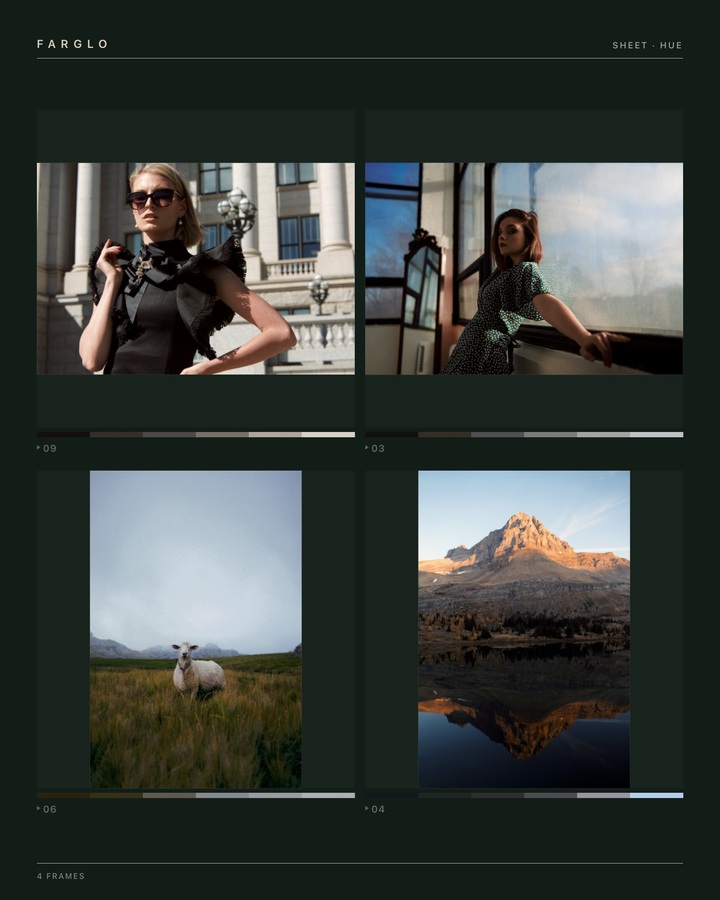
  • HEIC, 16-bit TIFF, social layouts, before/after contact sheets, and Pro Color Negative Lab

Layer workflow

A color grade should stay editable.

Most mobile editors bake your look into the pixels the moment you tap. FARGLO keeps every decision live. Import once, build a stack of adjustments, and reopen any layer days later — nothing is flattened, nothing is lost.

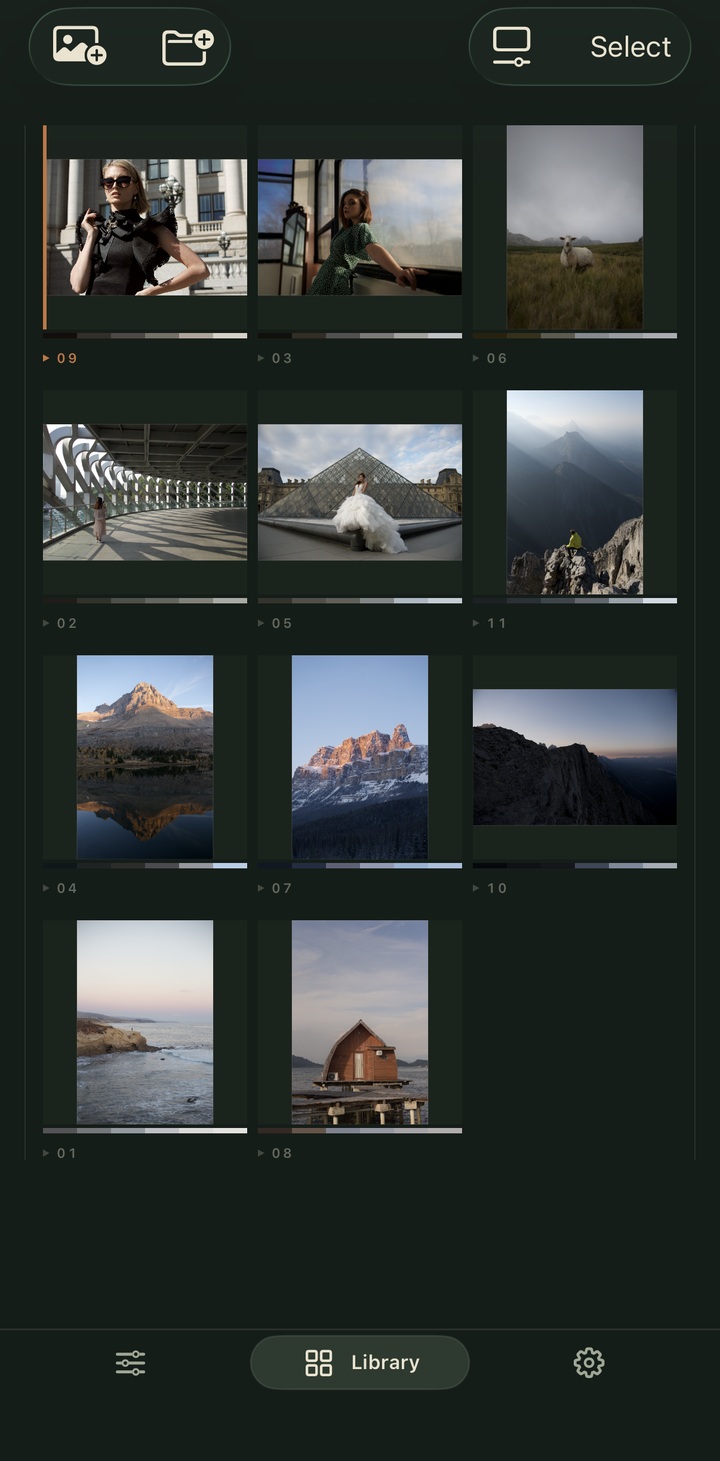
  1. 01Import RAW or JPEGFrom a Hasselblad RAW to an iPhone JPEG — the same non-destructive pipeline.
  2. 02Build the grade in layersPrimaries, curves, Atelier Mix, halation and grain — stacked and reorderable.
  3. 03Re-edit anytimeToggle, retune or remove any layer. The original is always intact underneath.
Layered editing interface in FARGLO
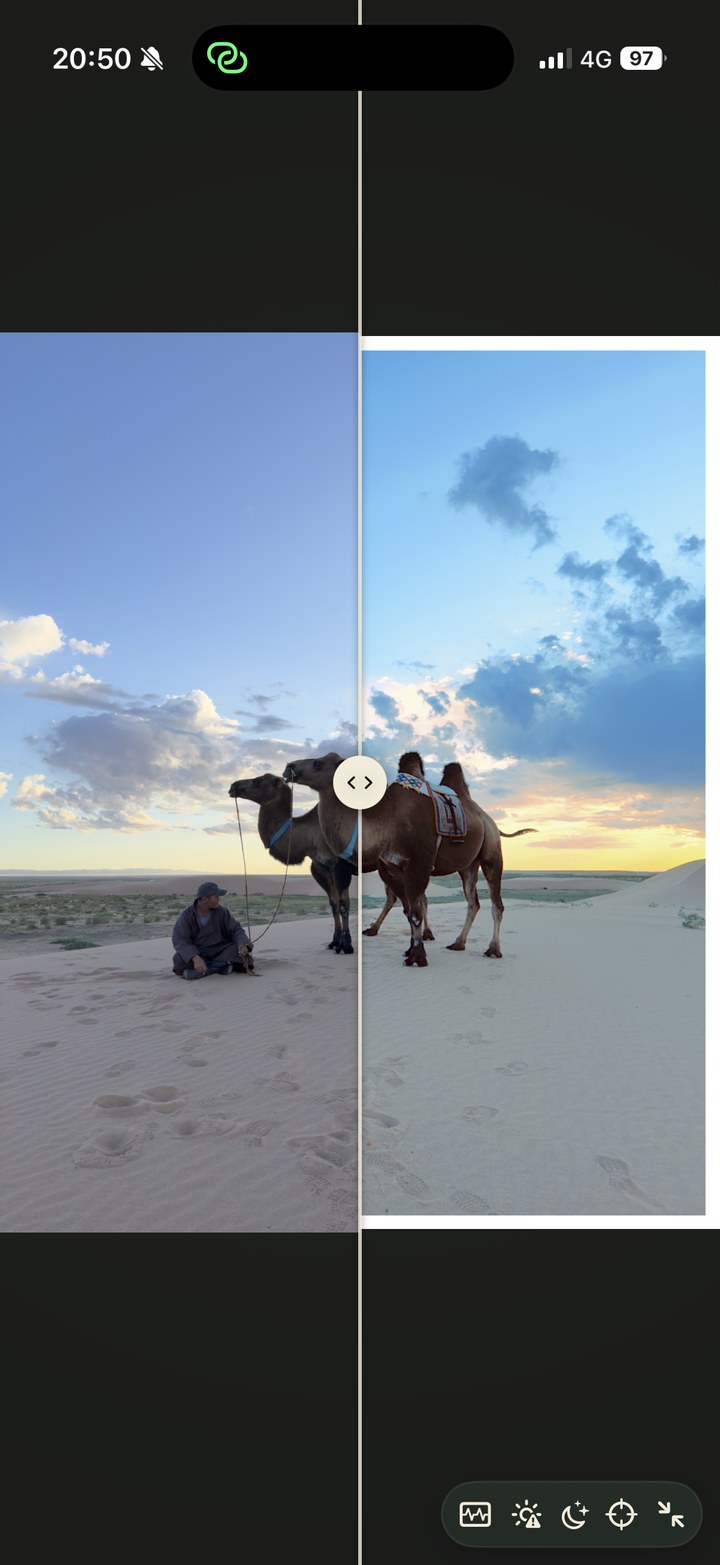
Before and after comparison in FARGLO

Before / After

From snapshot to photograph

Grade an ordinary iPhone JPEG into a finished image and compare the two side by side — no banding, no broken color.

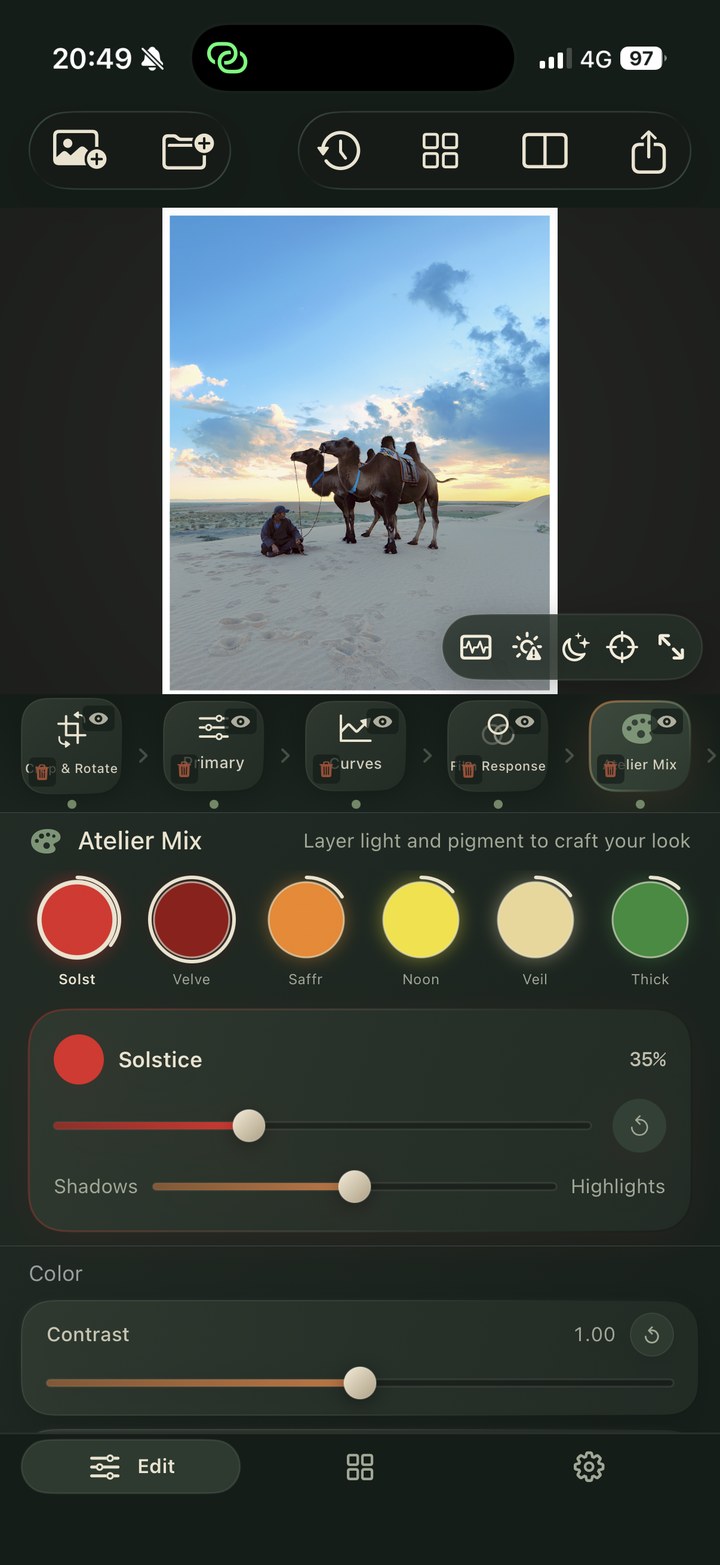
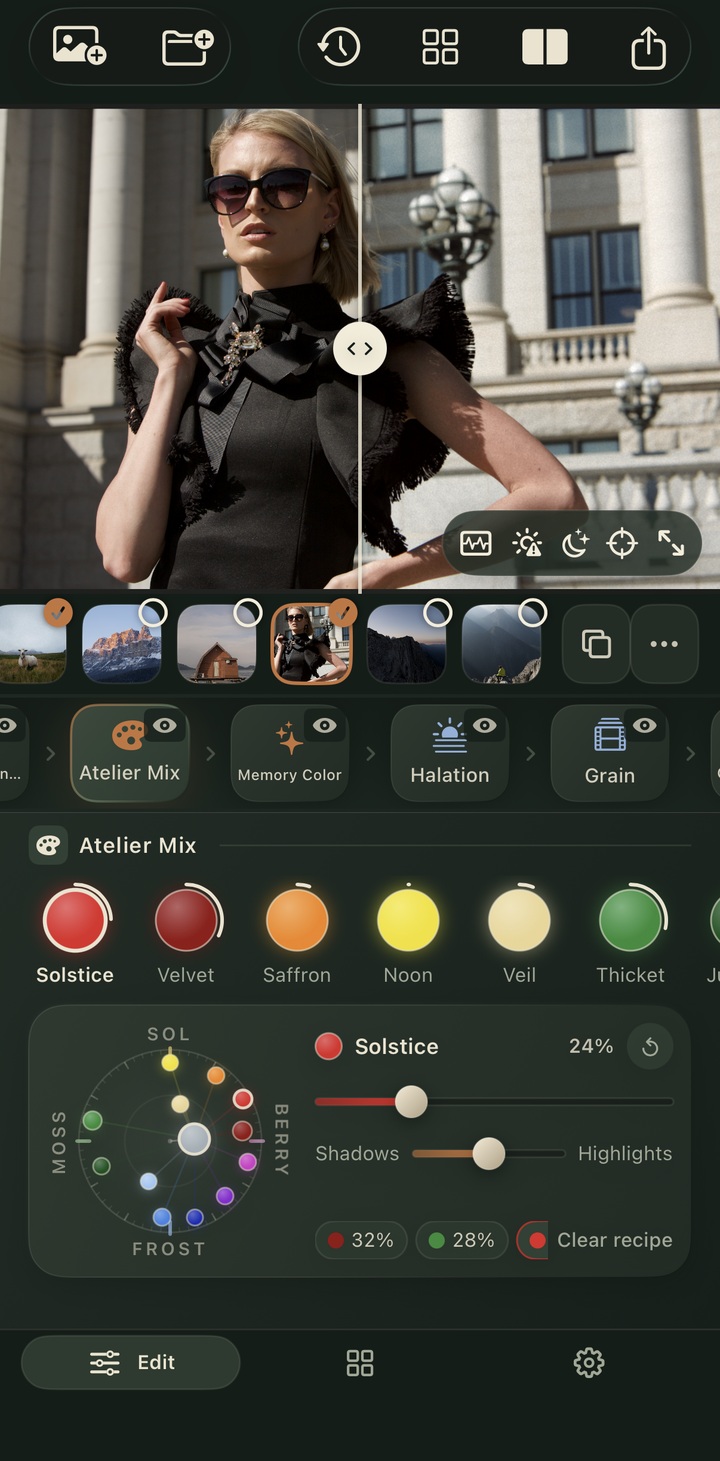
Atelier Mix color controls in FARGLO

Atelier Mix

Mix light like a painter

Blend cinematic washes of color the way an artist works a palette — each one a glaze of light laid over your photo.

Halation and film finish in FARGLO

Layer workflow / Film finish

Stack, reorder, finish on film

Reorder layers like a node graph, then close it out with halation, 35mm grain and a clean white frame — all in-app.

Why FARGLO

Not another filter drawer.

Typical filter apps

  • One-tap presets you can't open back up
  • Adjustments baked destructively into the JPEG
  • Hidden, fixed recipes you can't take apart
  • A look in a box

FARGLO

  • Layered grades you can re-edit forever
  • Non-destructive on both RAW and JPEG
  • Build color from primaries, curves and mix
  • A workspace, not a drawer

FARGLO Studio

Go deeper when the edit needs it.

Studio adds LUT import and export, 16-bit HEIC/TIFF output, repeat editing tools, social layouts, and Pro Color Negative Lab for photographers who want a real mobile finishing workflow.

Privacy

Your photos stay yours.

FARGLO edits on-device. Your library and your grades never leave your iPhone, and there's no account required to start.

Read privacy policy

Support

We read every message.

Questions, feature requests or a grade you're proud of — write to FARGLO support and you'll hear back from the person building the app.

Contact support